Help Center / Account / Billing / Update a billing address
Billing
Update a VirtualPBX billing address
Now, authorized billing contacts can quickly and easily update billing address information in Dash. Follow these steps to complete the task.
On this page
Login as an administrator to dash.virtualpbx.com
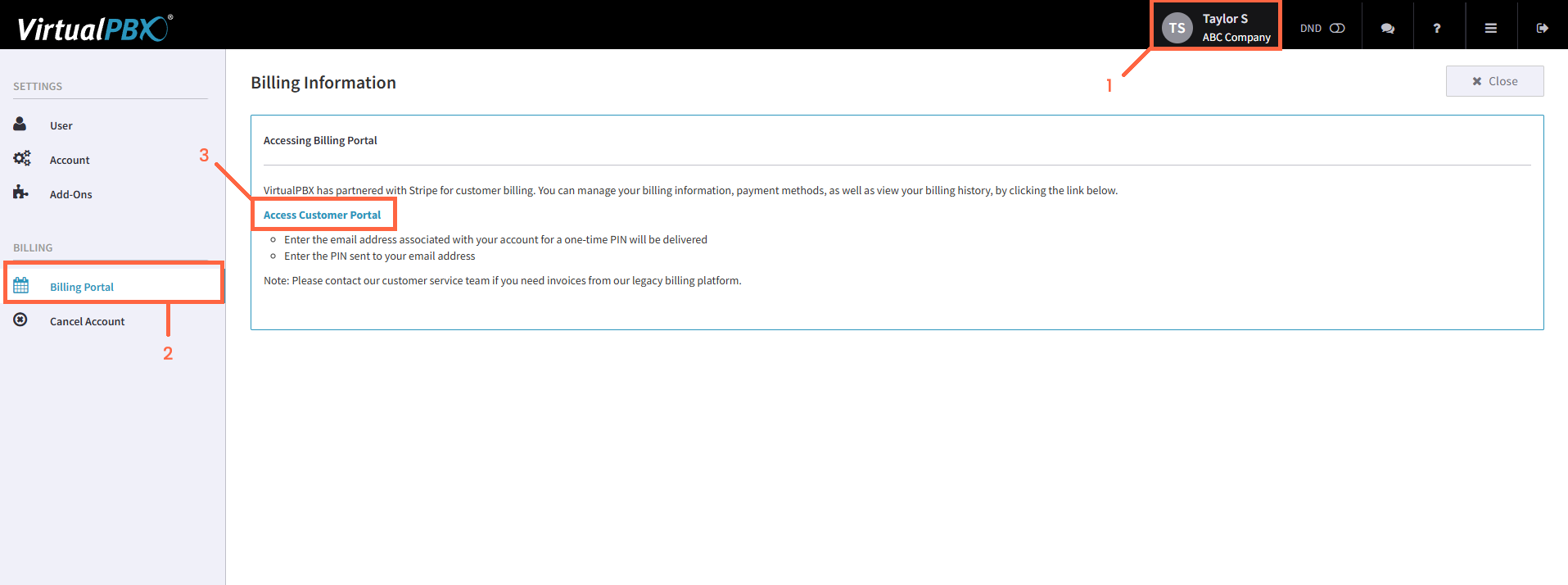
Start by clicking on your name/company at the top right.
Next, click on Billing Portal in the left-side menu.
Click Access Customer Portal
Enter your email address (the authorized billing contact) and click Send. This will automatically send a temporary access link to this email address. Click the link provided via email to continue.
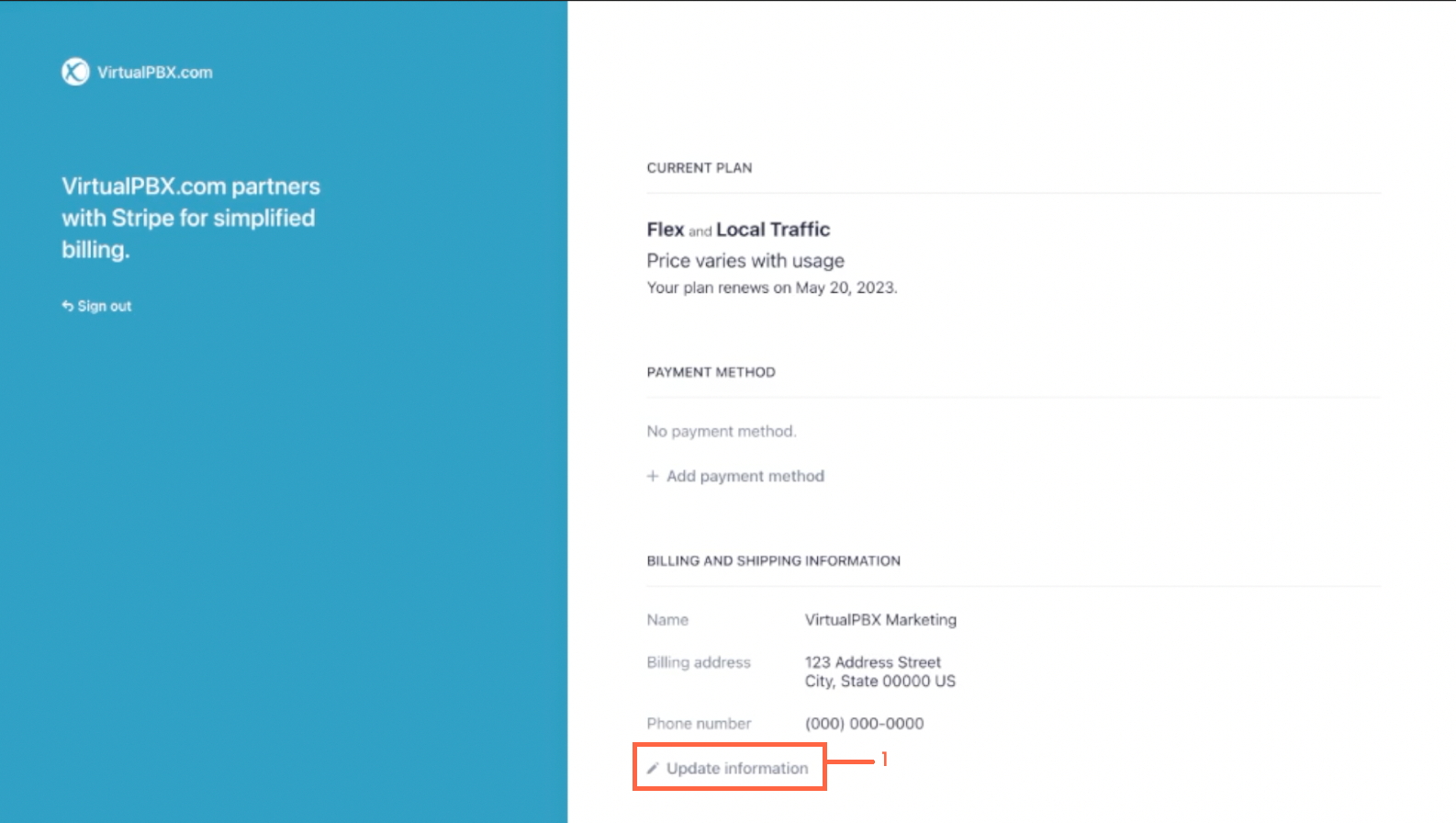
Once you’ve clicked the link, you are now inside the billing portal. Here you can review your current plan, payment method, and address.
Click Update Information to update your billing address.