

Help Center / Smarter Voice / Numbers / Port a number
Numbers
Port a number to Business Phone
The term for bringing a number from one provider to another in the industry is called Porting. Porting has a few requirements:
On this page
Introduction
A completed form (LOA, listed below) with your business information, number(s) you would like to port, and a signature from an authorized contact on the original provider’s accountAn LOA must be completed for each provider your are porting from. For example, if you are porting one number from Comcast, and another from AT&T, you must complete two forms, one for each provider’s number.
The most recent copy of your bill/invoice from the provider you are porting from
Expected Time Frame
Local ports on average take about 1-2 weeks to be completed if there are no rejections.
Toll-free ports on average take 3-5 business days to be completed if there are no rejections.
Process
We have two ways for you to process ports through us; Email and through our Dashboard as an adminstrator
By Email
Via the Dashboard
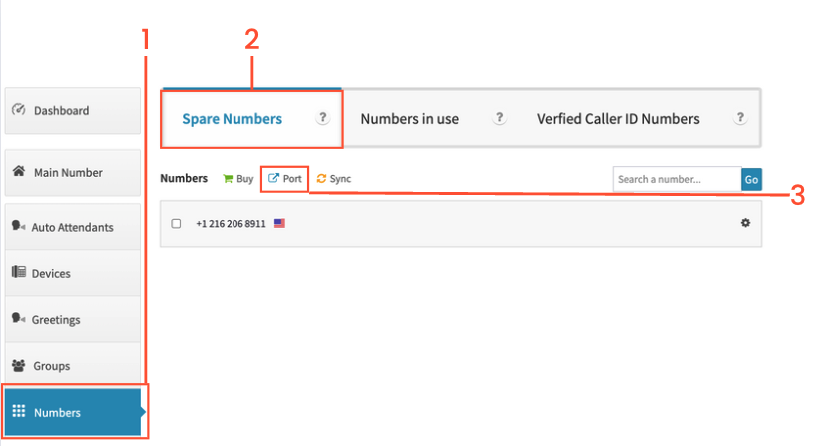
Click on Numbers on the left-hand side
Click on the Spare Numbers tab
Click on Port to begin the port process
On the following page, click on New Port Request
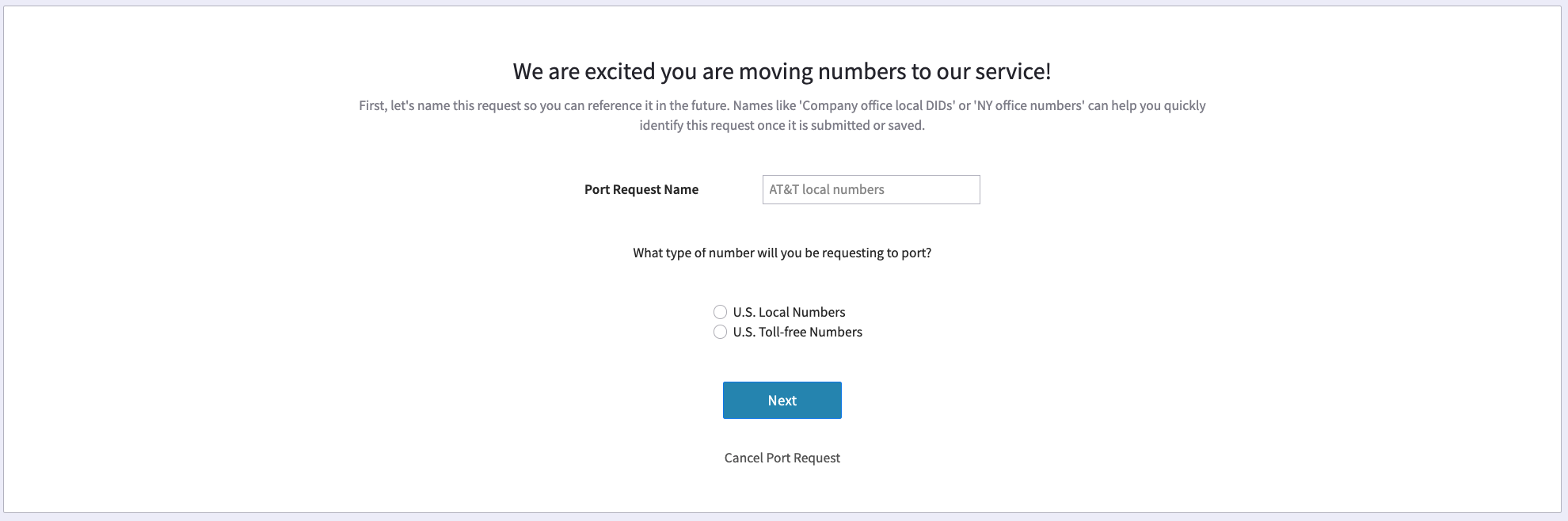
Enter a name for the port request
Select US local or US Toll free
Click Next
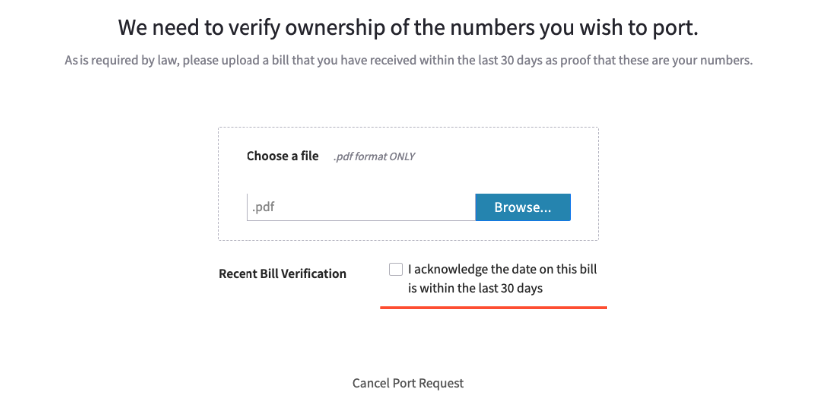
Click on the browse button to find a recent copy of your phone bill
Click the box to acknowledge that the date on the bill is within 30 days
Fill out the form
Notes: Street Pre direction is only used if your street address is similar to North 1st Street. In that case, you would select N
Street Post Direction would only be used if your street address is similar to 2nd Street NW. In that case, you would select NW.
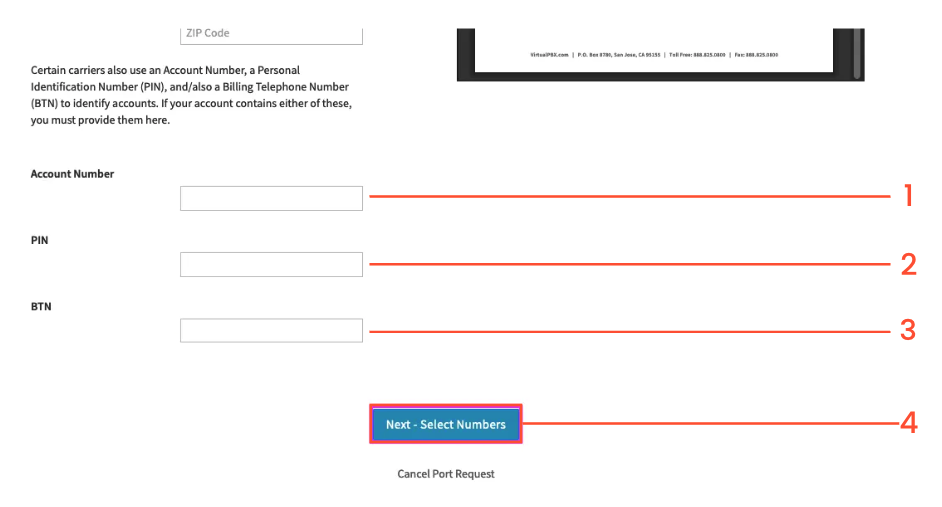
Enter the account number with the current carrier (ie not VirtualPBX)
The PIN is typically for porting wireless/mobile phone numbers. This is a code you get from your current carrier. Sometimes called a Transfer PIN. If you contact your current carrier specify that you are porting a phone number out and verify if you need a transfer or port-out PIN.
BTN = Billing Telephone Number, if you’re account only has 1 phone number, that is the BTN for the account. If you have multiple numbers you may need to confirm this with your current carrier.
Click on Next
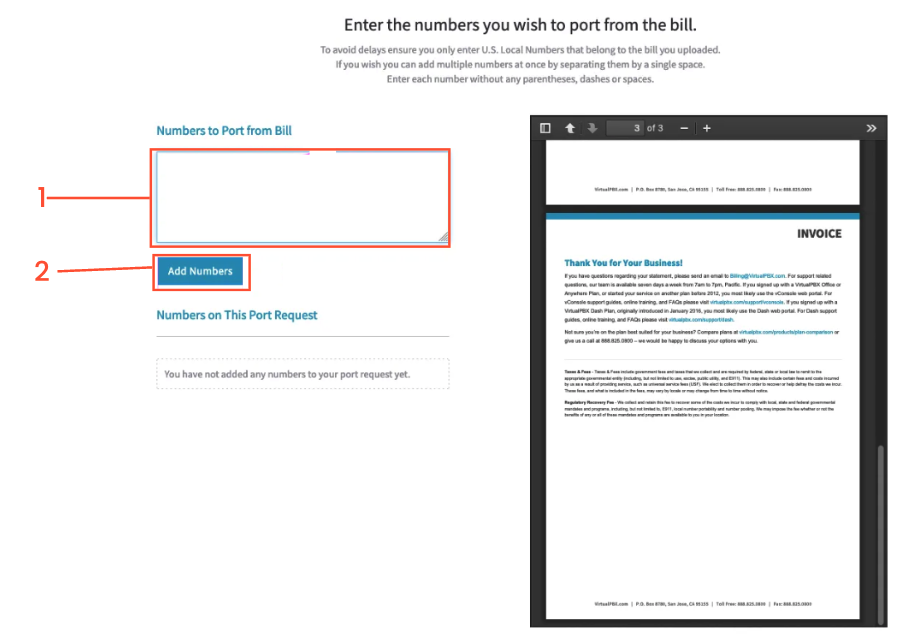
Enter the phone number/s you wish to port.
Click on Add Numbers when done
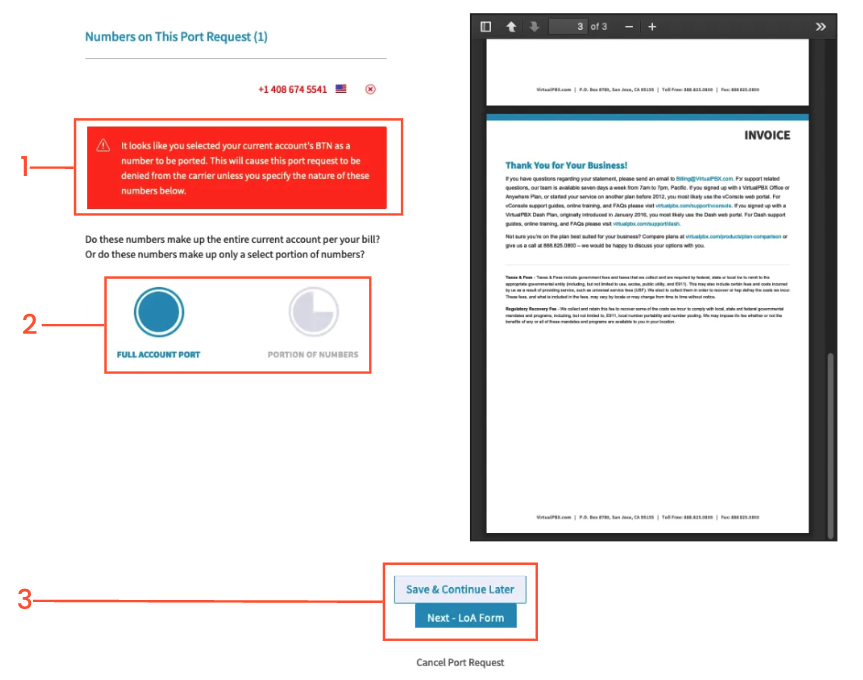
If you are porting the BTN of your account this message will appear
Choose either Full Account Port or Partial. If you select Partial you need to indicate the replacement / new BTN. We include this in the port request to your carrier.
Click on Next - LOA form to continue, or if you wish to continue at a later time, click on Save & Continue Later
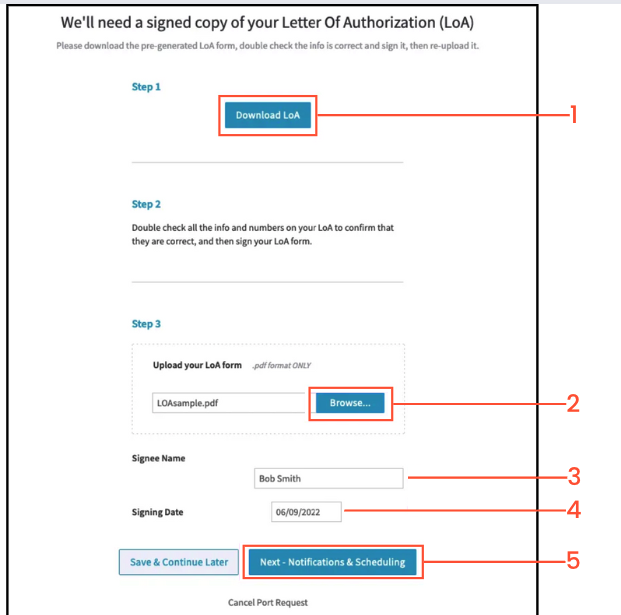
Download the LOA form if you have not already done so. You can also download the LOA form here and view a sample, filled out LOA form here.
Once you have filled out the form, upload the signed LOA. Note: the LOA must be signed, it cannot simply have a person’s name printed/typed in
Enter the Authorized person’s name
Enter the date
click on Next - Notifications & Scheduling or if you prefer Save and Continue Later
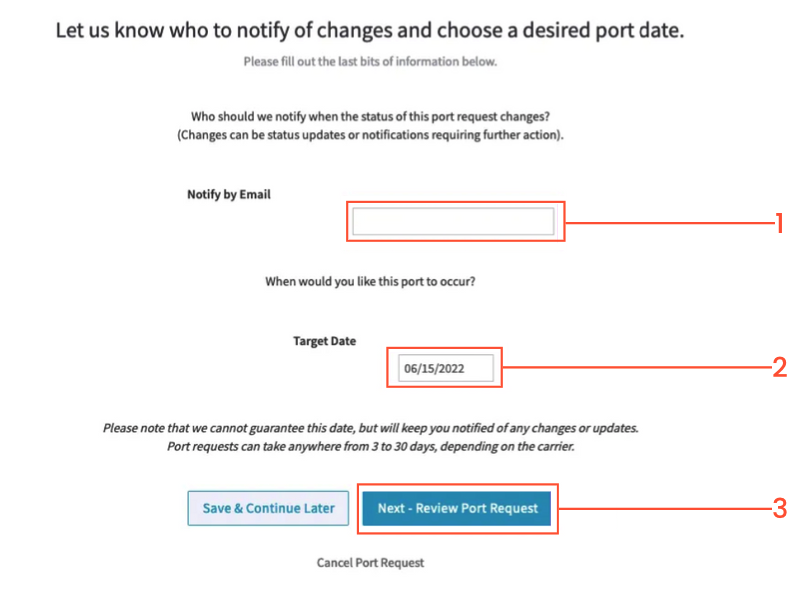
Enter in your email address
Enter the date you would like the port to complete. Note: This must be a future date (ie not the same day you submit the request). The losing carrier ultimately determines the port release date.
Click on Next - Review Port Request or Save & Continue Later
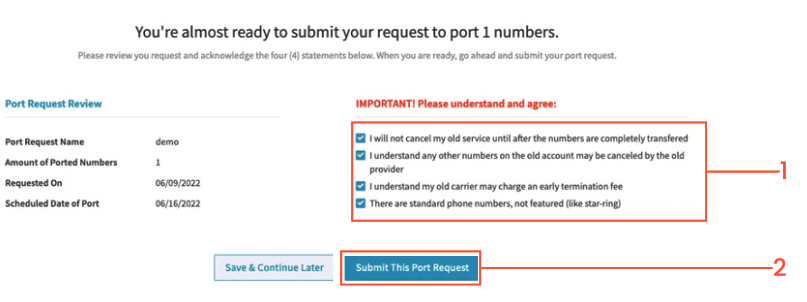
Please read and click on the checkboxes for the items on the right
Click Submit This Port Request
The new request will show up under the Progressing tab
You will receive an automated email that the request has been received by the system.
By the next business day, you will receive a second email from our Porting team as they begin processing the request. This email will include further information on what to expect.
From that point forward we will communicate to you any further updates on the port request via email. This will include the expected port completion date or rejection notices that we receive from the other carrier.