---
notionId: "1c7f0d27c79880618a27db9507cd7da0"
product: "account"
cluster: "account"
intent: "account.technical-contacts"
docSlug: "technical-contacts"
task: "Update VirtualPBX technical contacts"
title: "Update VirtualPBX technical contacts | VirtualPBX"
meta_description: "Technical contacts are contacts that you allow our support team to communicate with if any in-writing changes are needed for the configuration settings of your"
answer: "Technical contacts are contacts that you allow our support team to communicate with if any in-writing changes are needed for the configuration settings of your account. These contacts would not have access to your billing information in regards to communications with our teams, and would not be able to override your billing contact. You can update your technical contact information quickly and easily with this guide."
audience: "billing"
updated: "2025-03-31"
legacy: ["update-account-technical-contacts"]
headings: []
lint: ["meta-answer","answer-first","headings"]
---
To update your technical contact information, log in as an administrator.
At the top of the page click on your name
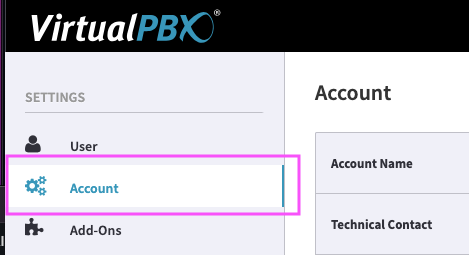
Click on Account
Click on the gear icon across from the Technical Contact
Enter the email address and phone number of the Technical Contact
 Click on Account